File defects into Jira with the evidence attached

From any defect, create a Jira issue prefilled with what the tester recorded: the run, the steps, the environment and configuration of the result, and its attachments.

An issue that already exists can be linked instead. Each Probara project files into the Jira projects mapped to it, with the issue type you choose.
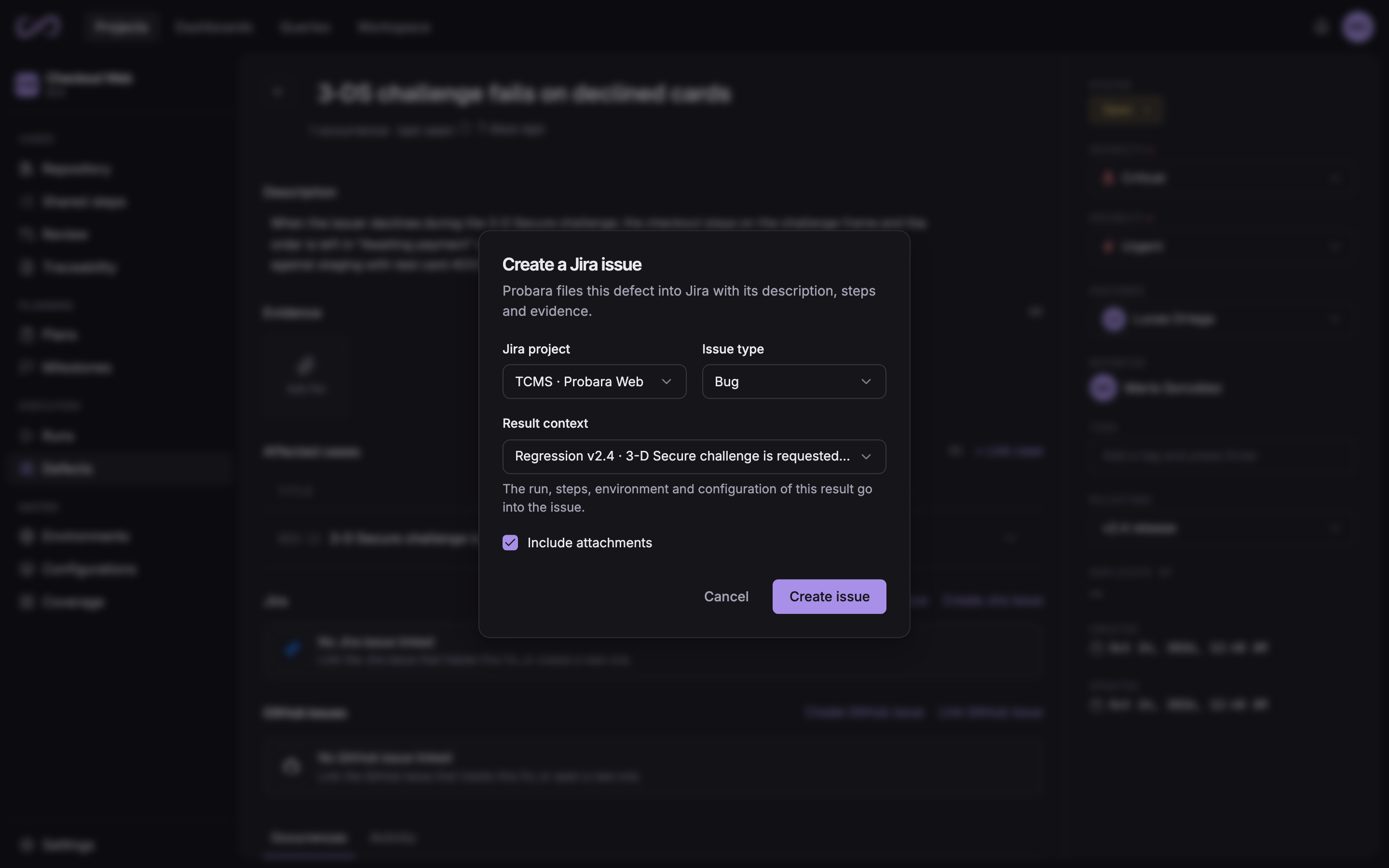
The Create a Jira issue dialog, opened from a defect: the Jira project, the issue type, the result whose context goes in, and the option to include its attachments

Status, priority and comments stay in sync both ways

When a Jira issue changes status, the linked defect follows its status category, and you can give any Jira status a Probara status of its own.

In the other direction, you choose which Jira status each Probara status moves the issue to. Priority, severity and comments sync in both directions.

Default status mapping
Jira status categoryProbara defect status
To doOpen
In progressIn progress
DoneResolved

Report which stories are covered, version by version

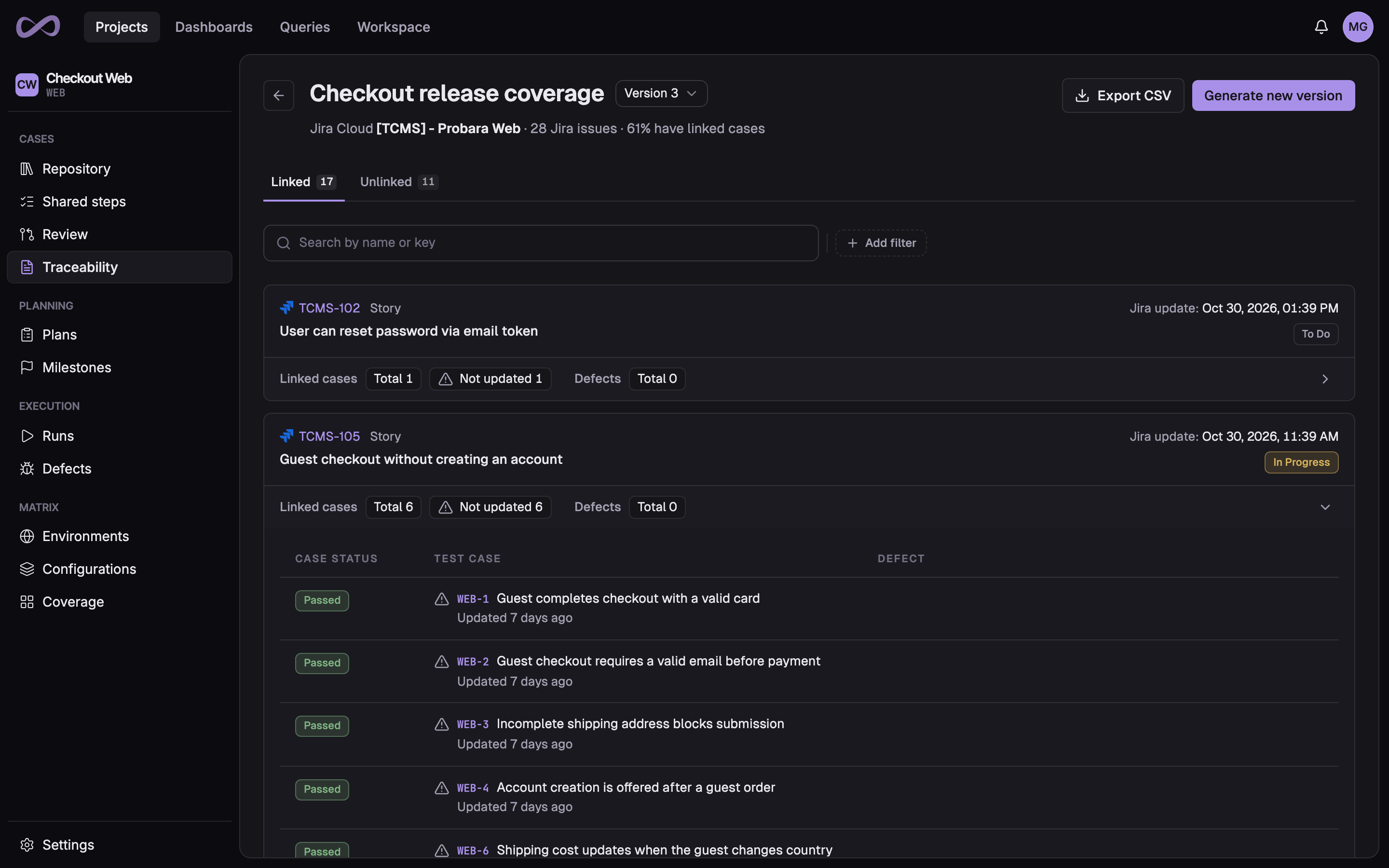
Link test cases to the Jira stories and epics they verify, one at a time or many at once. Then build a traceability report from the Jira projects you choose.

Each generated version is a frozen snapshot that lists the stories no test case covers yet. A linked case is flagged as stale when its story changed after the case was last edited, so drift shows up before a release does.

A traceability report version built from a Jira project: 28 Jira issues, 61% with linked cases, and one story unfolded to its test cases with their latest results

Developers see the test side without leaving Jira

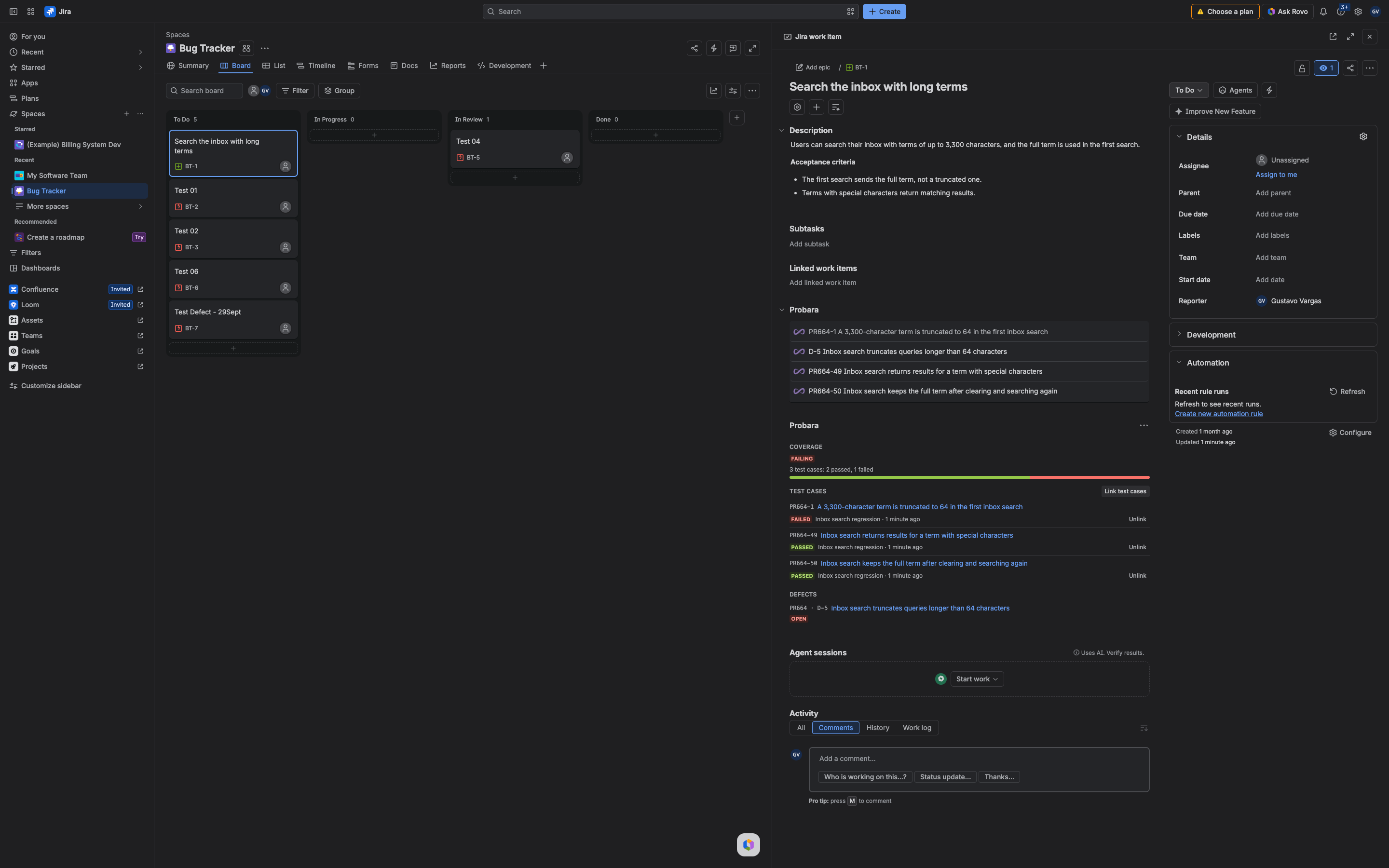
The Probara panel on each Jira issue shows its coverage, the test cases linked to it with their latest result, and the defects linked to it.

Jira users need no Probara account to see it, and Jira decides who can see and change what, with each viewer’s own Jira permissions.

The Probara panel on a Jira issue: failing coverage with 2 passed and 1 failed of 3 test cases, each case with its latest result, and an open linked defect

Connect Jira to your test management

Create your organization, connect your Jira Cloud site and file your first defect. Every new organization starts on a 14-day Pro trial, with no credit card.