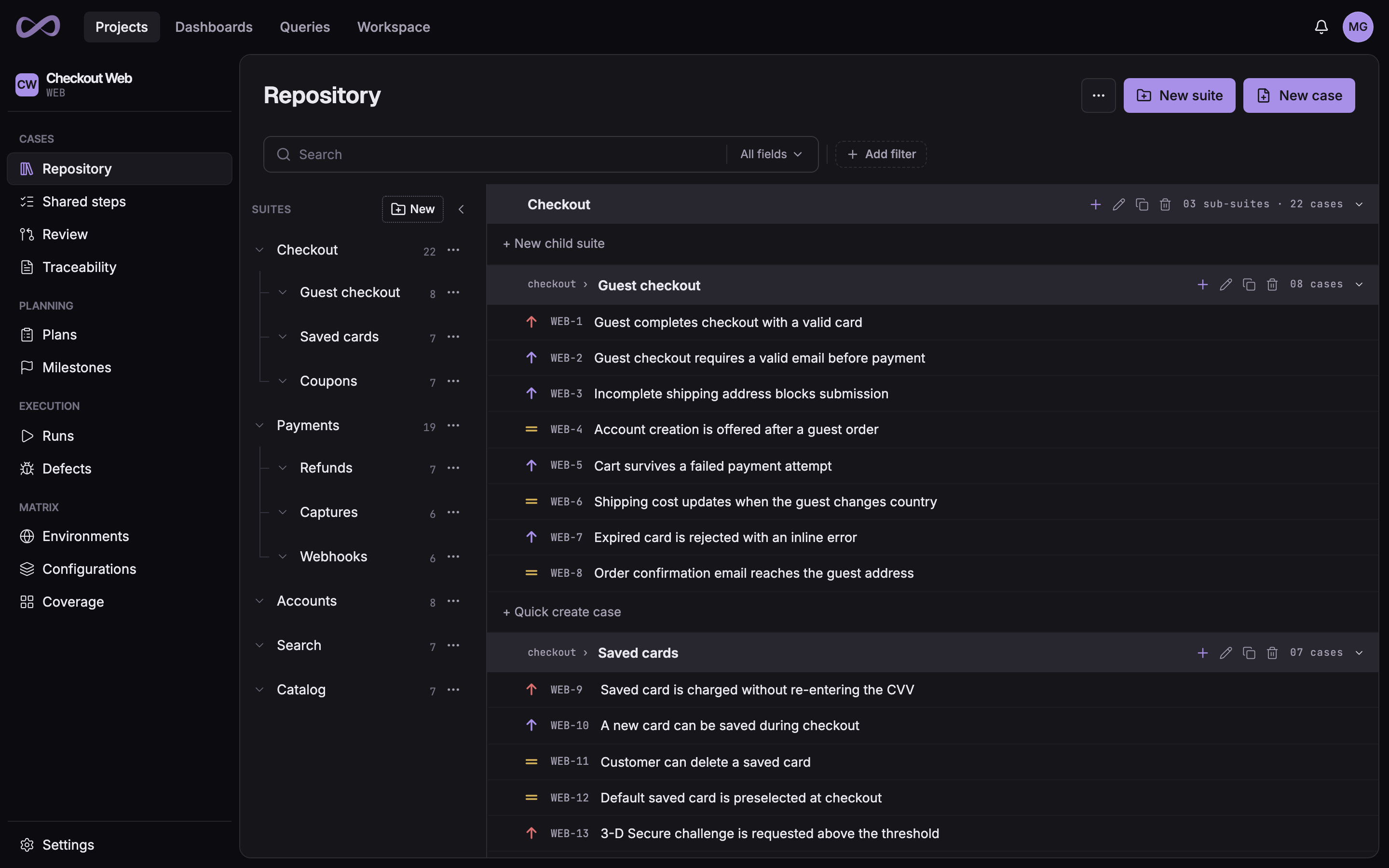
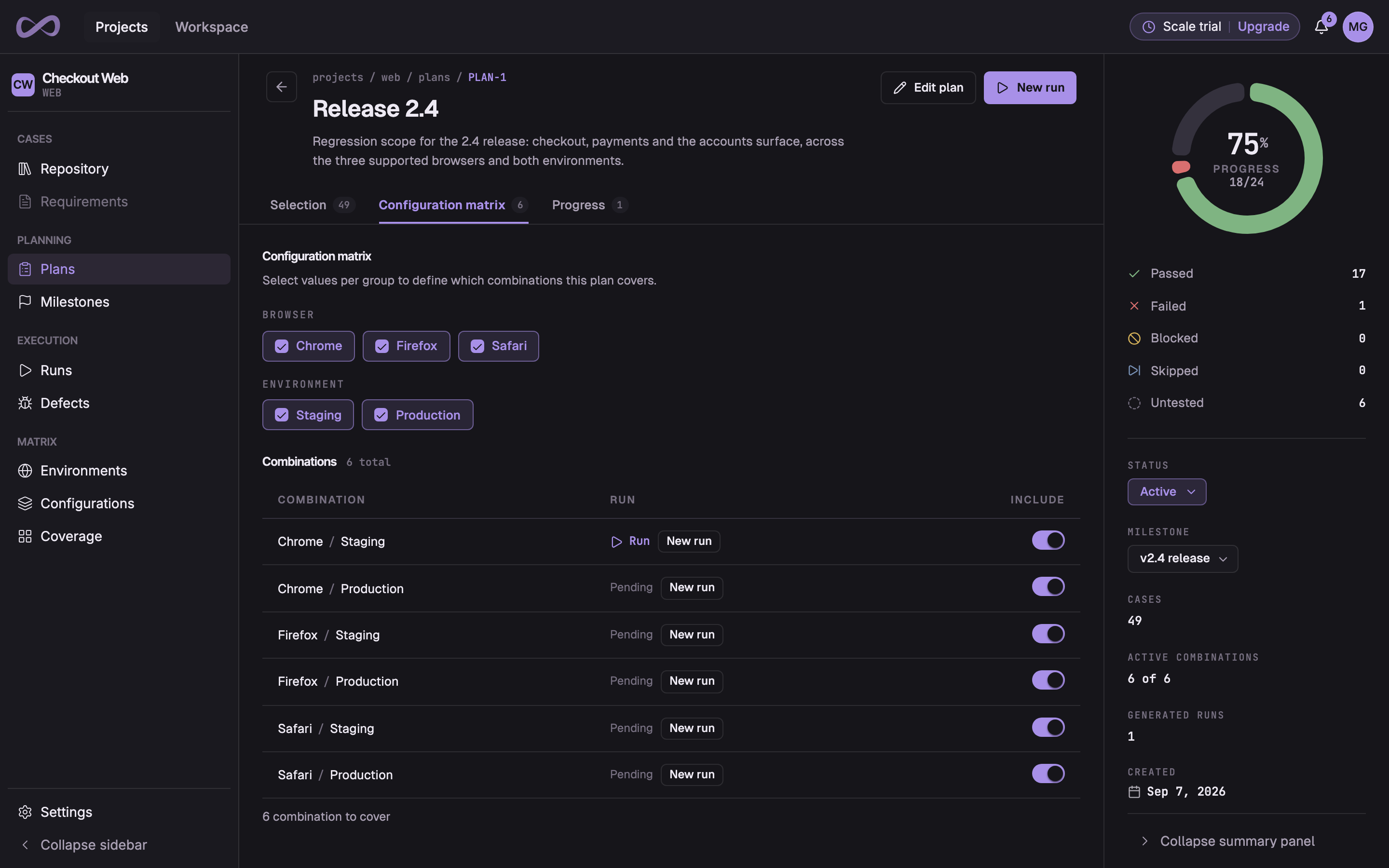
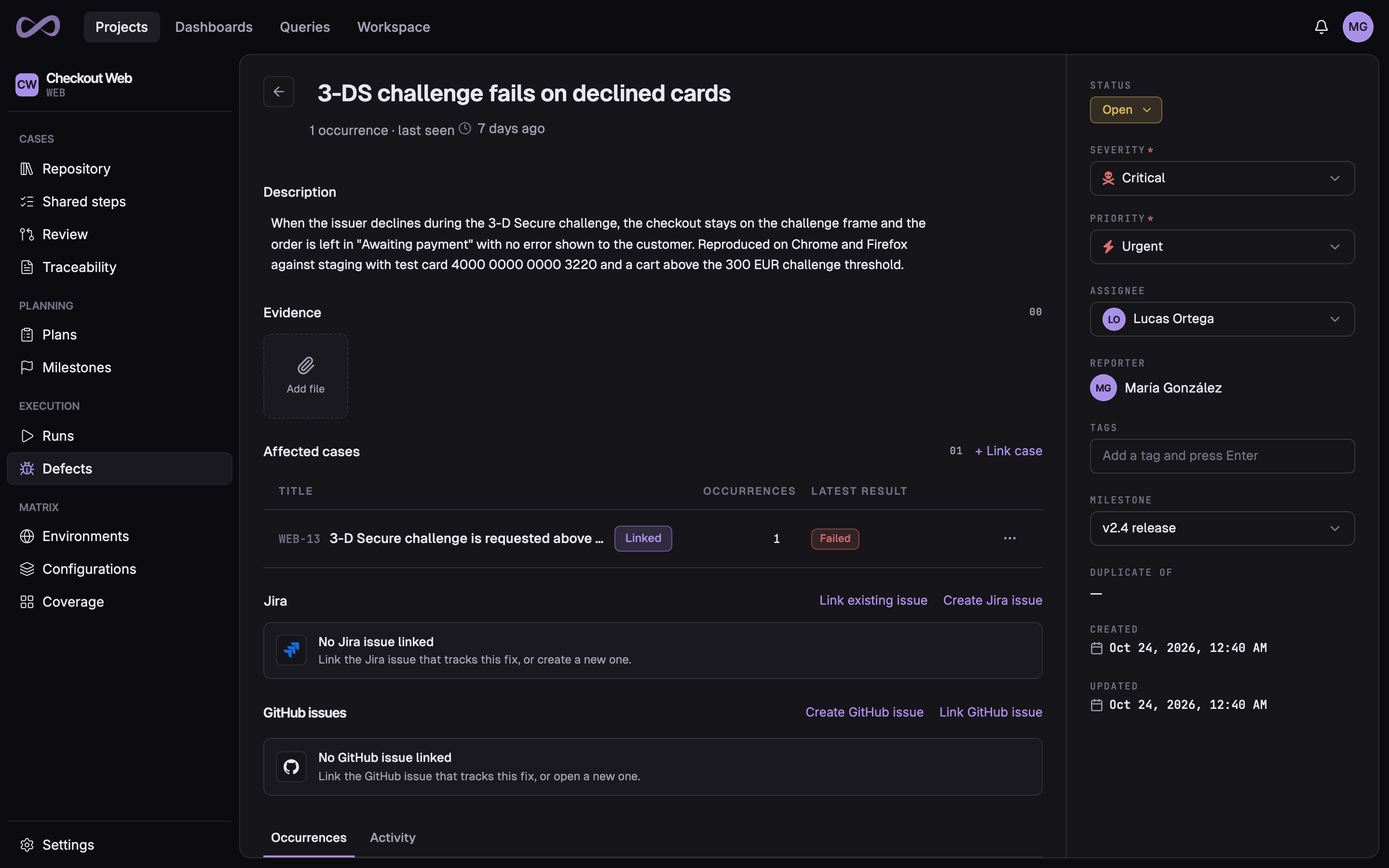
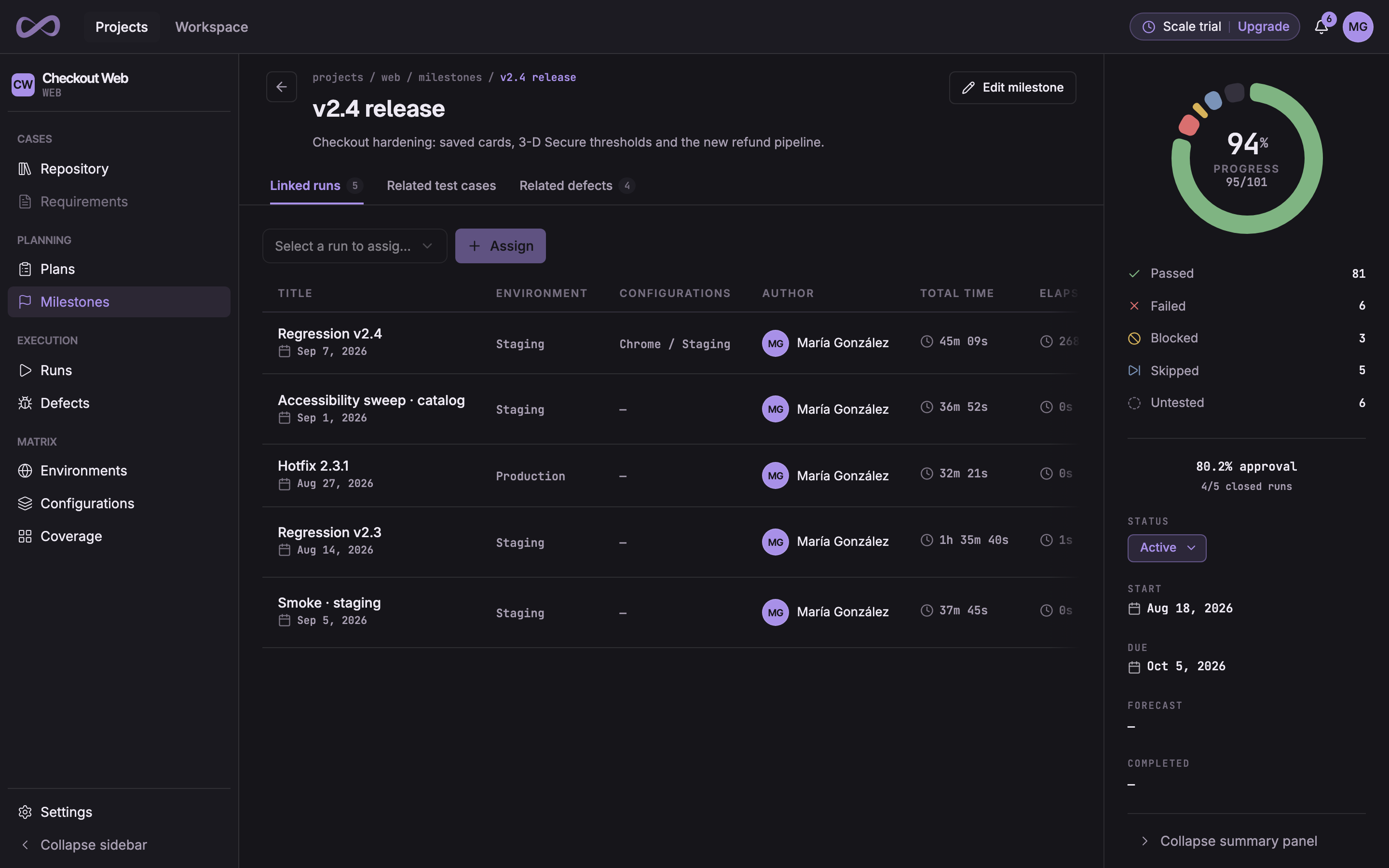
Write cases, plan releases, run tests and report on every milestone. Your CI results and manual runs land in one place, and your AI agents do what your team does through the MCP server and the REST API.
Write cases, plan and run them, follow every defect to its fix, and report on the release. Every stage works on the same data, and every one is reachable from the REST API and the MCP server.
Write each test case once, and keep the suite in order as the product grows.
Nested suites, and cases with steps, images and expected results
Shared steps you edit once, and parameterized cases that run once for each combination of values
Tags, bulk actions, trash, and cloning across projects
Version history with compare and restore, and custom fieldsPro
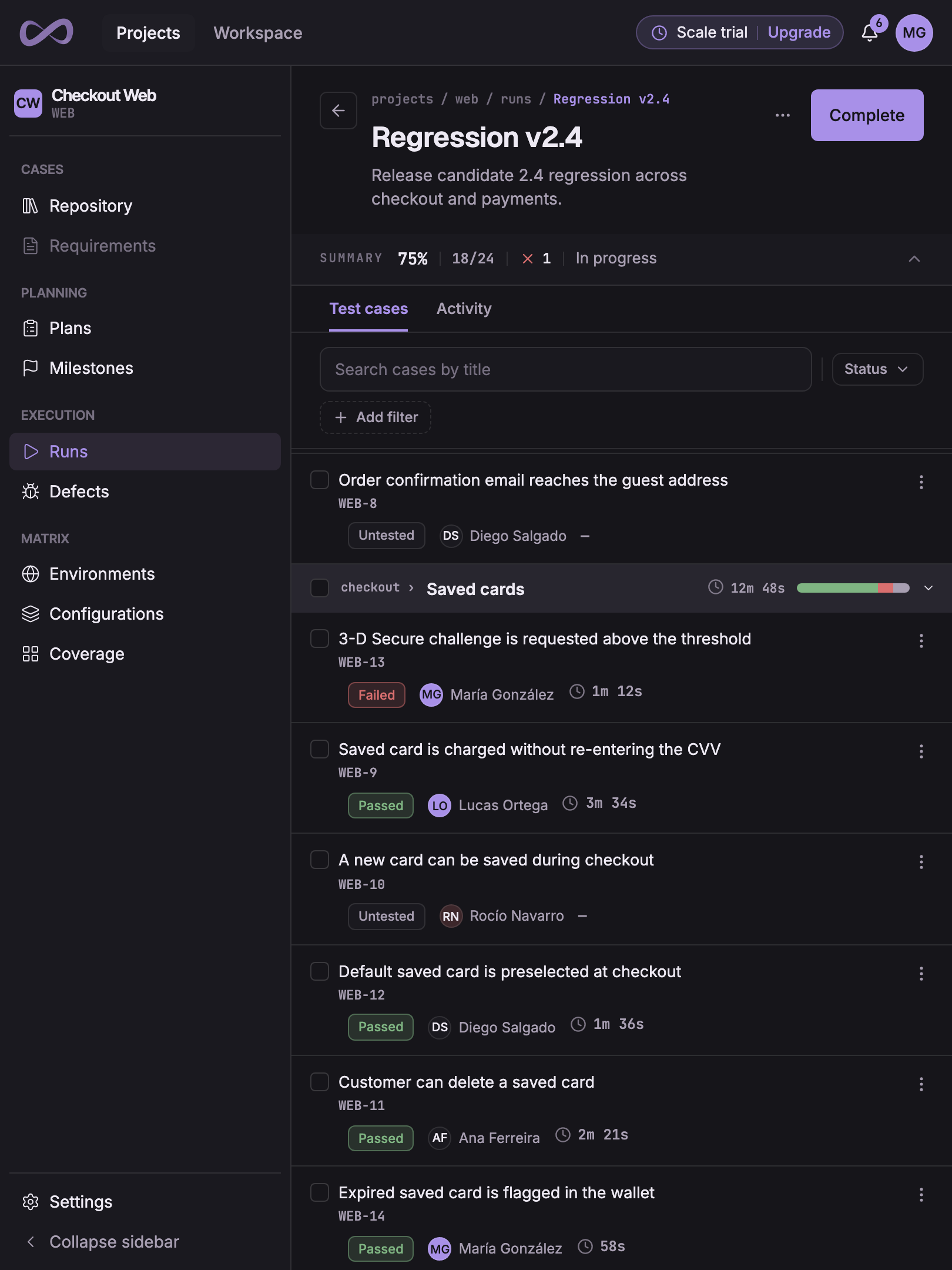
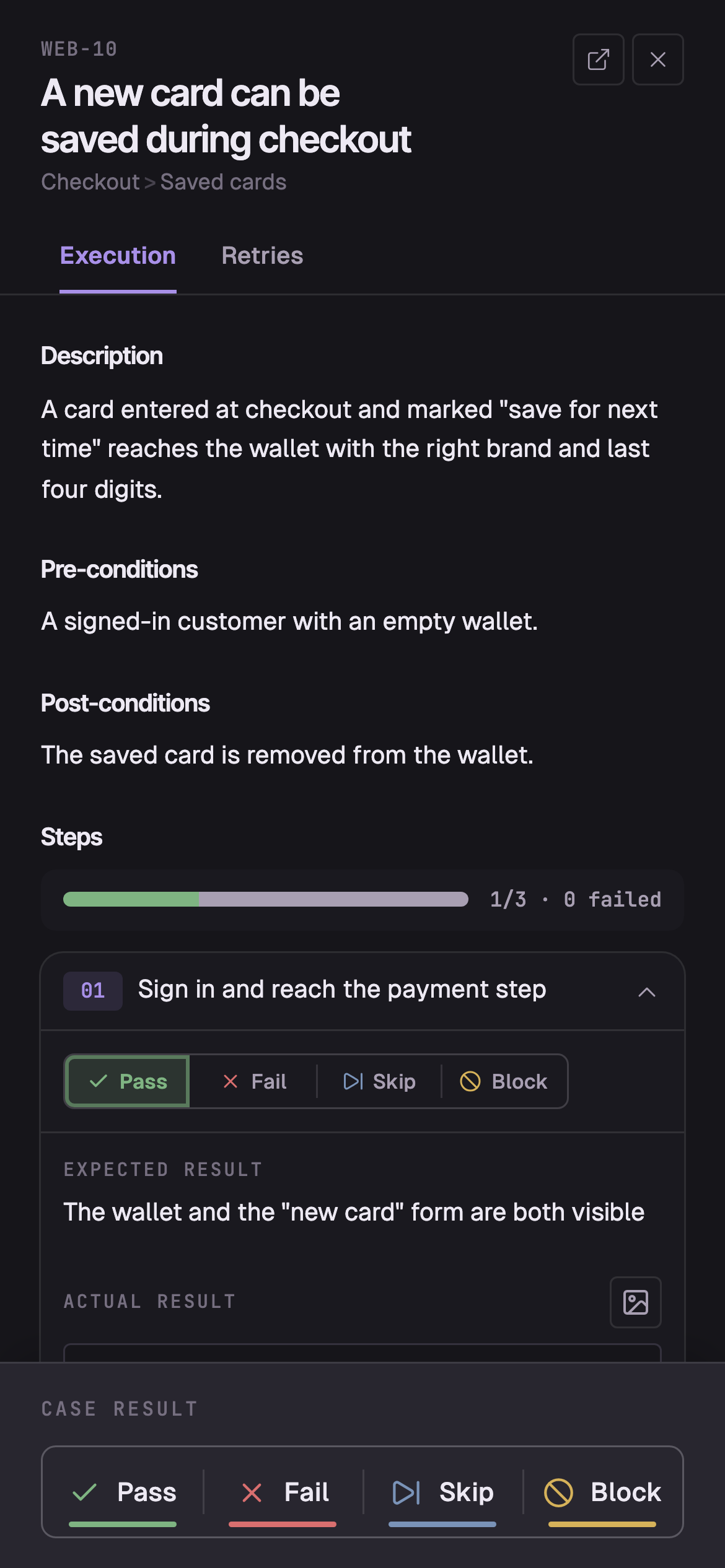
A tester holds the product under test in one hand and Probara in the other. The run, its cases and their results are one record. The screen changes, the record does not.
Nothing is desktop-only
No destination, action, field or filter available on desktop is missing on a tablet or a phone.
Hover is never the only way
An action revealed on hover at a mouse stays visible and activable where the device reports no hover.
The stopwatch counts real time
Time on a case runs from the moment it opens, wherever it was opened, with no pause and no idle exclusion.
9:41
WEB-30in the run, on a tabletopen on a phone
Your AI agents can operate Probara.
A native MCP server with 270+ tools and operations, on every plan. Agents start with up to 14 tools and reach the rest on demand. They create runs, record results, and file defects with the same permissions as your team.
OAuth 2.1 with dynamic client registration and PKCE
mcp:read and mcp:write scopes, or an organization API token
Bound to one organization and rate-limited
Every change an agent makes lands in the audit log
Bring your test cases from another tool’s export or a spreadsheet. Each import lands straight in your repository, and you can export your cases back out at any time, so nothing locks you in.
ImportAn export from your current tool, or a spreadsheet
.json
.xml
.csv
.xlsx
.feature
ExportYour test cases, back out whenever you want them
.json
.xml
.csv
.xlsx
.feature
Security you can check
What keeps your organization’s data apart, who can reach it, and how you take it with you.
Your organization is its own boundary
Projects, cases, runs, and defects never cross from one organization to another. Owner, admin, member, and viewer roles decide who can do what, with custom roles on Pro.Organizations and roles
Single sign-on on Pro
People at your verified domains sign in through Google Workspace, OpenID Connect or SAML. Requiring it for every member and SCIM provisioning are Enterprise features.Workspace single sign-on
Two-factor authentication
Add a code from an authenticator app to password sign-in, with single-use recovery codes as a backup. An owner can require it from every member before they open the organization.Two-factor authentication
An audit log of every change
Owners and admins see who changed what across the organization, people, API tokens, and agents alike. On Enterprise, export it through the API.Workspace activity
Scoped credentials
API tokens belong to one organization and every request counts against a rate limit. The Jira connection’s credentials are encrypted at rest.API authentication
Your data stays yours
Export your test cases at any time. An owner can delete the organization, and has 14 days to cancel before it is erased.Deleting an organization
Start free today
Start on Free, or try Pro free for 14 days (no credit card required). Stay on Free anytime after the trial ends.
Prices are per user, shown in the selected currency; taxes may apply. Billed annually or monthly. No credit card is required to start a trial or to use the Free plan. Compare every plan
Questions, answered plainly
What is Probara?
Probara is a test case management platform: the system of record for a QA team’s testing. You write and organize test cases, turn a release into test plans and runs, record every result, follow each failure to its defect, and see where the release stands in milestones and dashboards. Your team works in the web app, and integrations and AI agents use the same data through the REST API and the MCP server.
Does Probara have AI features?
Yes, through the AI agents your team already uses, rather than a model of its own. Claude, ChatGPT, Cursor and other MCP clients connect to its MCP server, with 270+ tools and operations, reached through up to 14 tools listed by default, to write test cases, start runs, record results and file defects. They sign in with OAuth 2.1, each connection is bound to one organization with read or write scopes, and every change they make lands in the audit log. The MCP server is on every plan.
Is there a free plan, and what are its limits?
Yes. Free costs nothing, and you can stay on it as long as you like. It covers up to 3 seats, viewers included, and 3 projects, 90 days of history and 1 GB of storage, with test cases, runs, test plans, defects, the REST API and the MCP server included. Jira and results from CI start on Pro.
How does billing work today?
Creating an organization starts a 14-day free Pro trial automatically, covering up to 50 seats, with no credit card required. During the trial, or afterward from your organization settings, you choose to subscribe to a plan, and billing is handled by Polar, our payment provider. When the trial ends without a subscription, the organization is paused until you either subscribe or confirm you want to continue on the Free plan. Nothing is deleted while it waits.
Can I import my existing test cases?
Yes. Import from your current tool or a spreadsheet. Probara accepts CSV, Excel, JSON, and XML files, and each import lands in your repository as soon as you run it.
Can I send results from my automated tests?
Yes, on Pro. The Playwright, Jest, Cypress, Vitest and Cucumber reporters turn every CI run into a Probara test run, linked to your test cases. For any other framework, the Probara CLI sends its JUnit XML report from any CI, and for Gherkin it syncs your .feature files. Pipelines authenticate with an app token that can only report results and sync feature files.
Does it work with Jira?
Yes, with Jira Cloud on Pro. Create a Jira issue from a defect or link one that already exists, and status, priority and comments stay in sync both ways. Link test cases to stories and epics, and build a traceability report to see which ones they cover. A Probara panel on each Jira issue shows its linked cases, results and defects. Jira Data Center and Jira Server are not supported.
Does it have an API?
Yes. A public REST API at /api/v1 offers 410+ operations, with an OpenAPI spec and organization-scoped API tokens, on every plan. AI agents connect through the MCP server instead.
What languages does it support?
The app and the documentation are available in English and Spanish, and every team member picks their own language.
Is my data isolated from other customers?
Yes. Probara is multi-tenant with the organization as a hard isolation boundary: projects, suites, cases, runs, and defects never cross organizations, and the audit log records every change inside yours.
Put your testing on the record.
Plan your first suite, run it, and read the report on the same day.