Turn a failed result into a GitHub issue

When you report a defect from a failed result, Probara can open a GitHub issue right away, prefilled with the test case, its preconditions, its steps with expected and actual results, the failure comment, and the run, environment and configuration.

You can edit all of it before it is created, and an issue that already exists can be linked instead. Attachments stay in Probara: the issue links to each file.
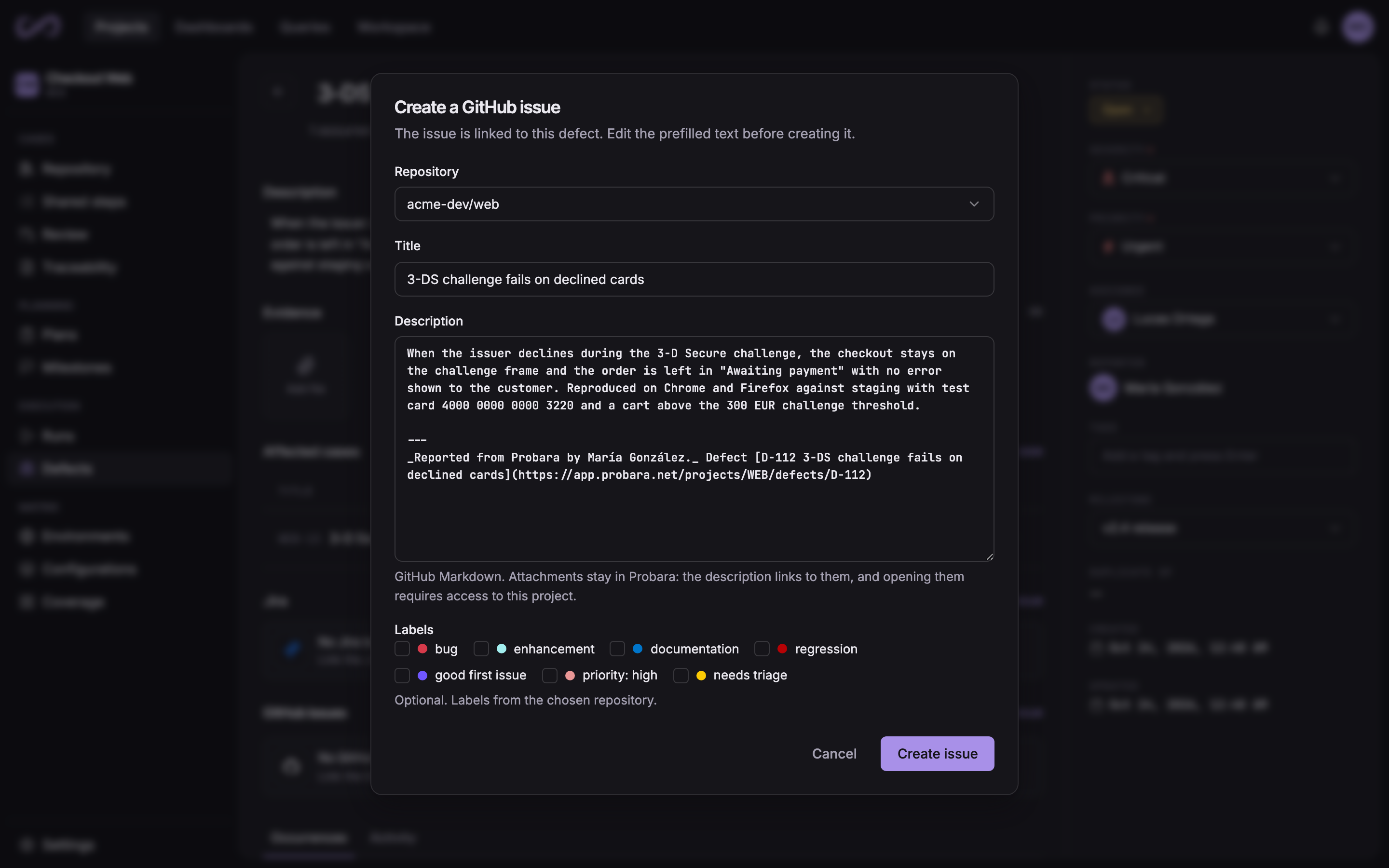
The Create a GitHub issue dialog, opened from a defect: the repository, the prefilled title and description, and the repository’s labels

Issues and defects close and reopen together

Resolving a defect closes its linked GitHub issues, and reopening it reopens them. In the other direction, closing an issue in GitHub resolves the defect, with a resolution that follows how the issue was closed.

A defect with several issues follows each of them. If GitHub is unavailable when a defect changes, Probara keeps retrying for up to 7 days.

Status sync
GitHub issueProbara defect
Closed as completedResolved, Fixed
Closed as not plannedResolved, Won’t fix
ReopenedOpen

Launch runs in GitHub Actions and see the results on the pull request

Choose a repository, a branch and a workflow, and Probara creates the run and starts the workflow. The run shows the build as it goes, with its status, a link to GitHub and its duration, while the reporters send the results into it.

When a run reported for a pull request is closed, Probara comments its results there: the outcome, the counts, the pass rate and up to 10 failed cases. Each pull request gets one comment, updated with every later run.

.github/workflows/probara-e2e.yml
run-name: ${{ inputs.probara_run_id && format('Probara {0}', inputs.probara_run_id) || github.workflow }}

on:
  workflow_dispatch:
    inputs:
      probara_run_id:
        required: false
        type: string

env:
  PROBARA_API_TOKEN: ${{ secrets.PROBARA_API_TOKEN }}
  PROBARA_PROJECT: ${{ vars.PROBARA_PROJECT }}
  PROBARA_RUN_ULID: ${{ inputs.probara_run_id }}

Report which issues your tests cover

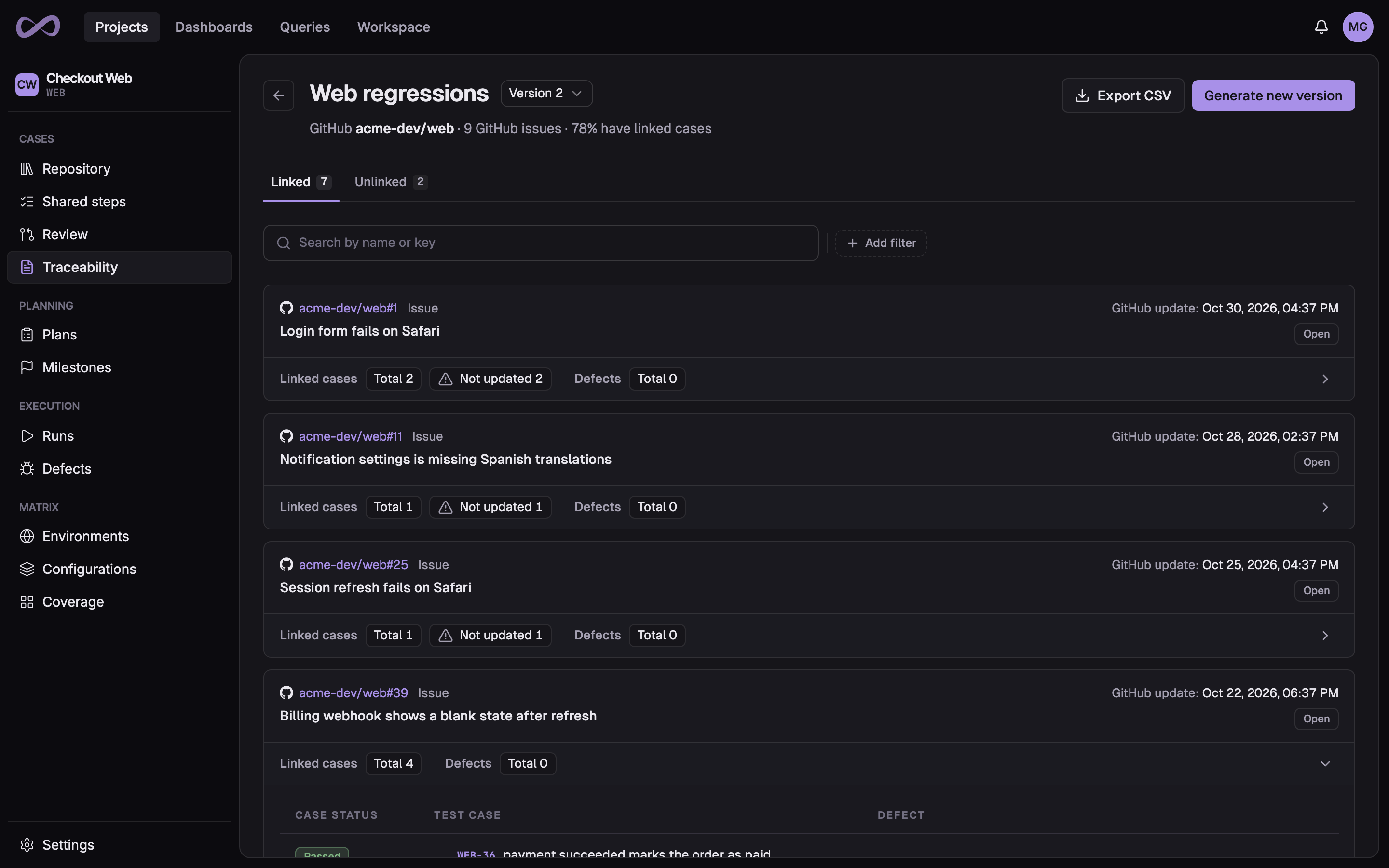
Link GitHub issues to the test cases that verify them as requirements. Then build a traceability report from up to 20 repositories, narrowed by labels, milestone and issue state.

Each version lists every issue with the test cases that cover it, so the issues nothing covers yet show up before a release does.

A traceability report version built from the open issues of a GitHub repository labelled regression, with one issue unfolded to its test cases and their latest results

Connect GitHub to your test management

Create your organization, install the Probara GitHub App and file your first issue. Every new organization starts on a 14-day Pro trial, with no credit card.